first and foremost getting rid of streaming ENTIRELY isn't the easiest thing. however, not to be pretentious or something, i also believe that investing in your media makes it truly meaningful. media isn't everything, of course, but i think it makes your experience with it more special. if you passively consume media, you never fully take it in. i guess this comes from me being a film and media student, but whatever. i also understand investing your time and money into whatever media you like is in itself, a privilege. in short, if it's not your time to do it, do it when it is your time. i'm super lucky to have access to TONS of secondhand dvds, cds, and records. i hope as time goes on, as much as people definitely already appreciate it, that more people reject subscription models. i do honestly save a lot of money by not paying for anything. literally, the only thing i use now is tubi (which is free) lol. in short, do this when the time is right for YOU!
this page is mostly dedicated to getting off of MUSIC streaming. i guess this was pretty easy for me. growing up i would not have money for premium or even any mobile data, so i often resorted to mp3s. guess i can say i'm a bit of a veteran. only since i started uni did i actually subscribe to spotify premium (i used "hacked" apks or whatever in highschool). i also used tidal for a while, in an effort for something more ethical. tidal wasn't very satisfying to me. it was probably a bit cheaper than spotify, but i wasn't really impressed with it. eventually, i fully switched to mp3s. it's been a longer process than expected, but my music collection grows everyday.
i first got a program called musicbee. musicbee has probably been the most straight forward application to play my mp3s through. another important thing i have is mp3tag, which allows me to edit the metadata of my files. sometimes when getting music it might be missing important data, like the proper track listing or album artwork. musicbee can also allow you to edit some data of your mp3s, but i'm not sure if it is as permanent as mp3tag. when listening to music on my computer, i use musicbee. musicbee also allows you to connect last.fm, if you care enough.
the main sources i use for actually getting music are:
cd ripping is a really simple and easy way to digitize your physical collection (if you have one). if you have anything you want to digitize you will need musicbee, a disc drive, cds obviously, and maybe mp3tag. vinyl ripping is also a thing, but i'm not sure about that..
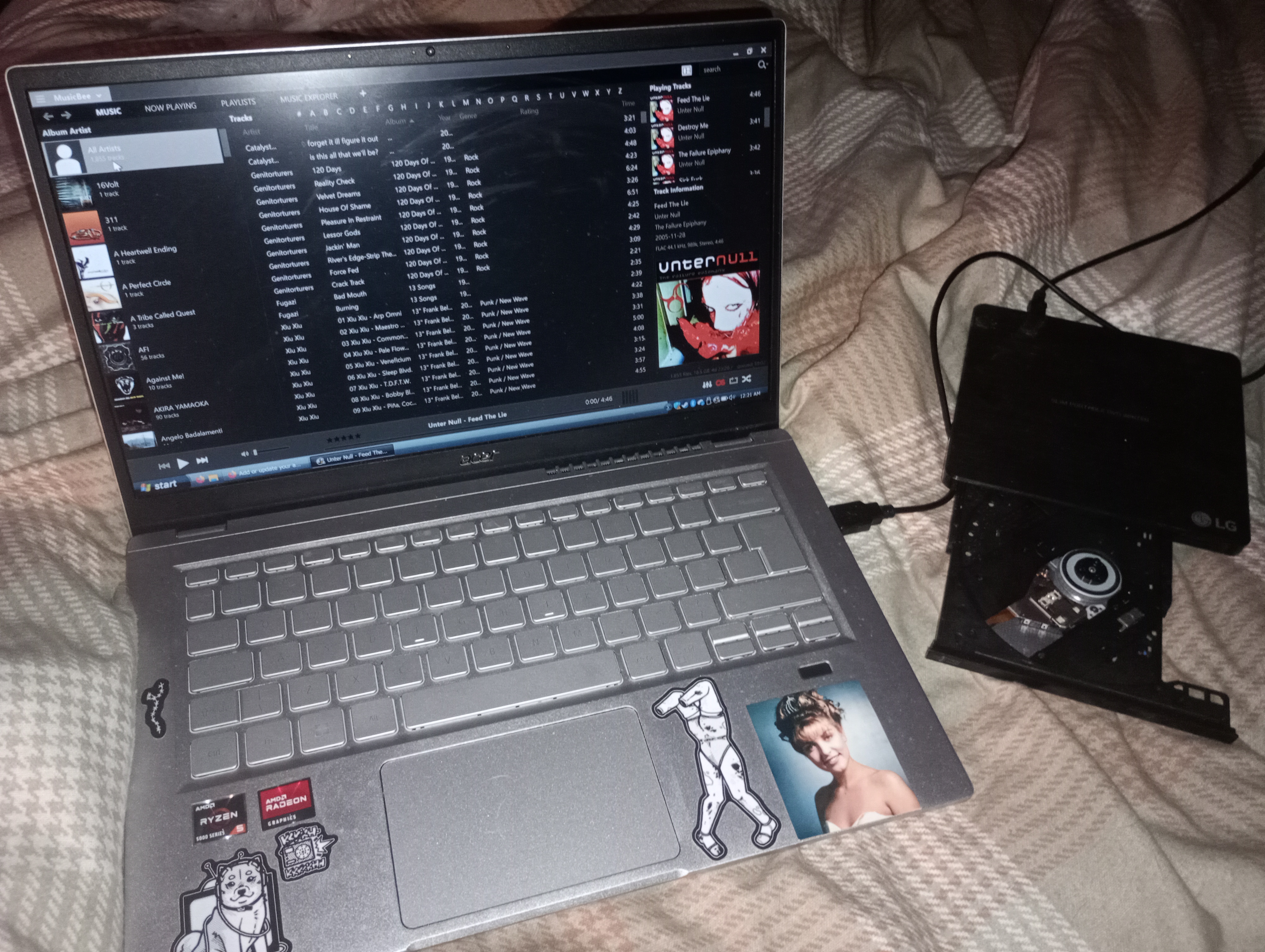
i actually decided to rip a few cds last night, musicbee has a built in rip tool and adds those ripped files straight into your musicbee library.
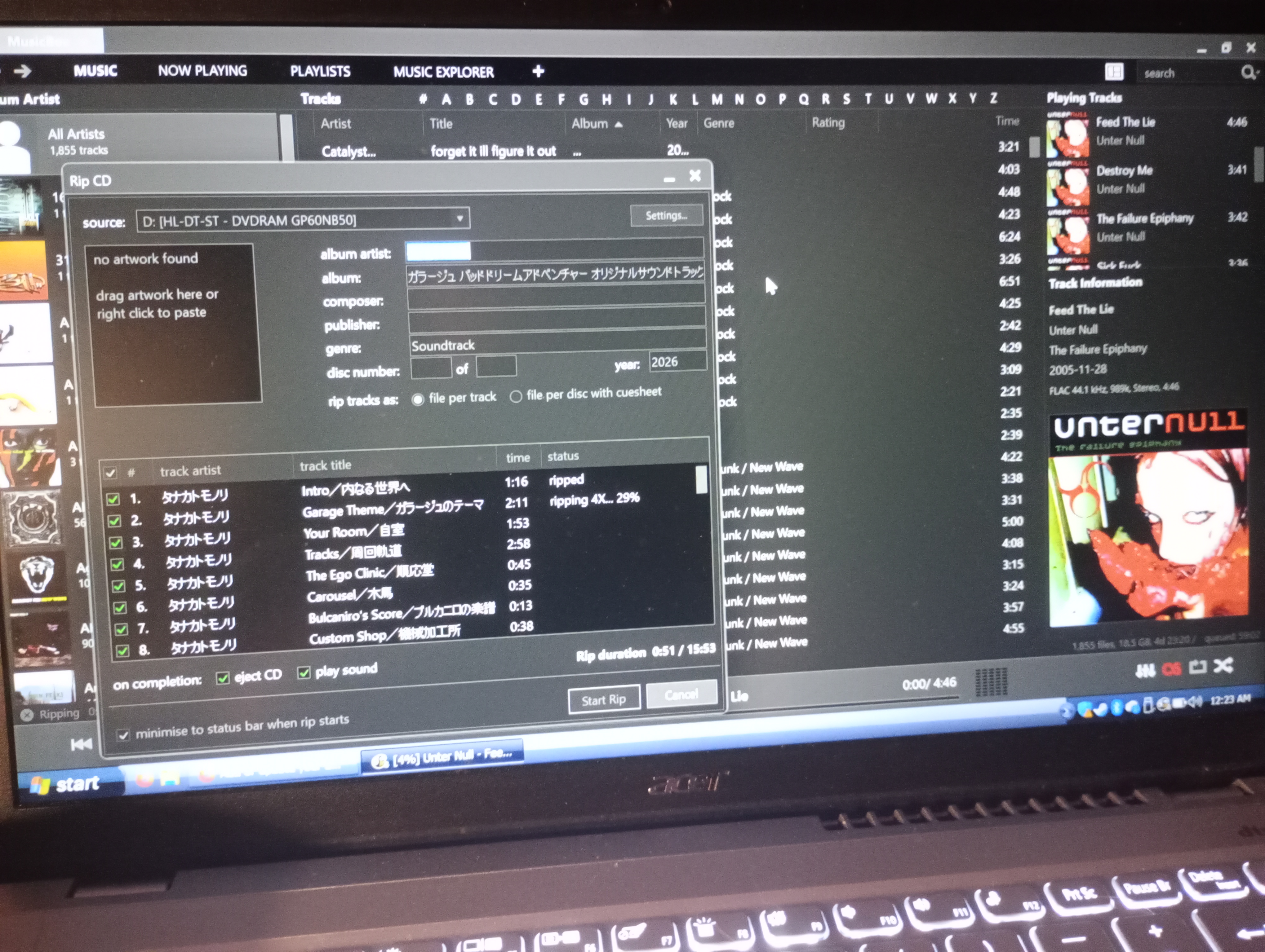
as you can see, when ripping this release, the album and artist titles are in japanese. makes sense, considering this is a japanese cd. this doesn't happen all the time, but if you have any international releases you may want to change it. many times musicbee will ask you to select the specific release of your cd, which will automatically add things like publisher, album art, year, etc. this didn't happen here, so i will change the artwork and titles to be in english through mp3tag.
note: keep in mind that ripping can take sometime, it's never taken more than 10 minutes for a cd. i'd say organizing your files takes more time. be mindful where you keep all your music. i keep mine in the music folder, then organize by album. musicbee also created a directory in the music folder. my folder is titled musicbee and within it i can find my ripped files, they're seperate from my downloaded files.before opening mp3tag make sure you absolutely know where your ripped files are, mp3tag relies on directories.
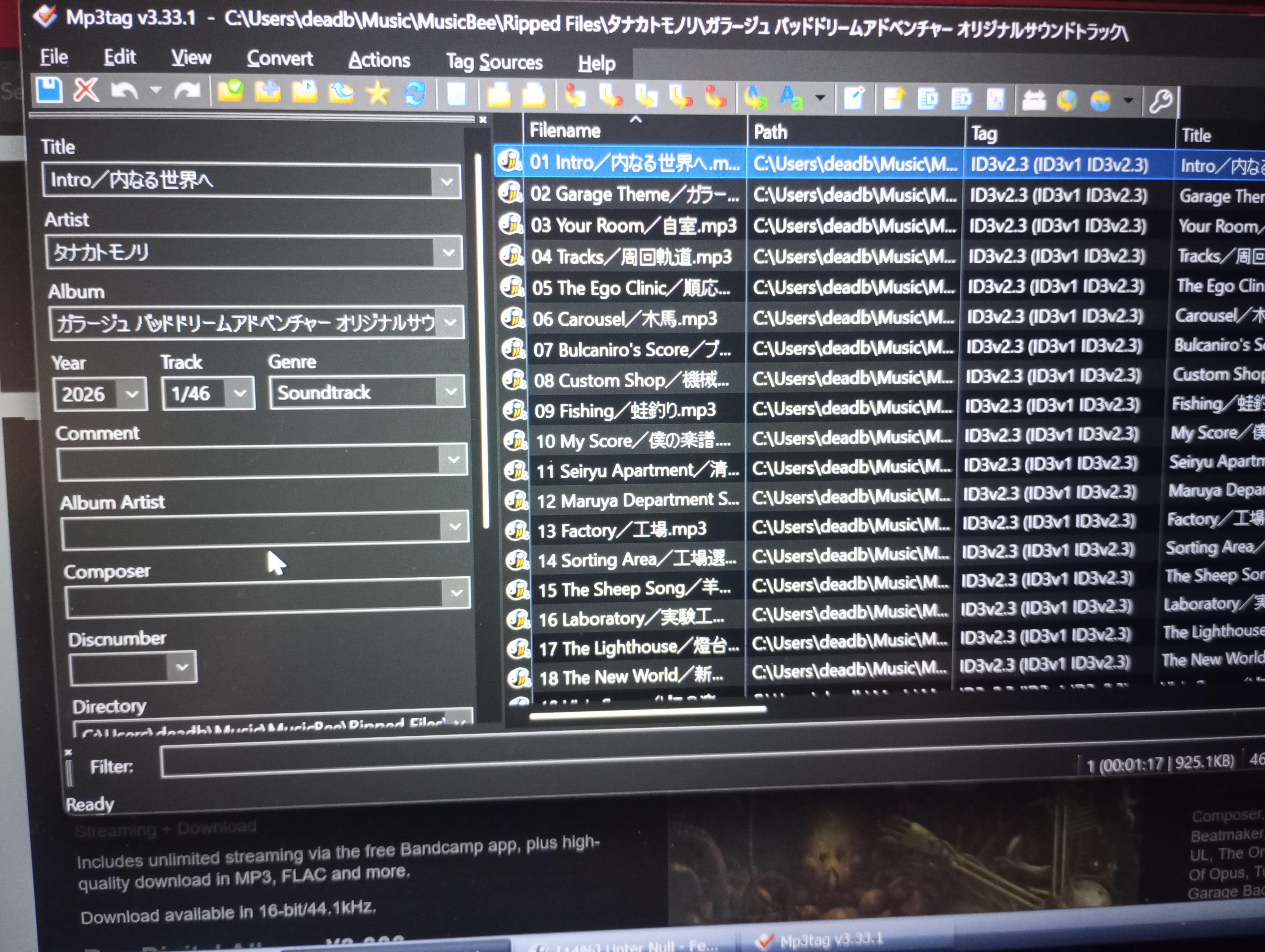
as you can see, mp3tag is pretty straight forward. you can change individual tracks or you can select all of them and edit their album information. when adding album artwork this will most likely add the image file into your album's folder. mp3tag can be especially helpful if you decide to pirate music and download from other sources
when listening to music on the go it's really up to you what you want to do. you can add your files to your phone, probably, but that greatly depends on if you have the storage. for me personally, my phone does have an sd slot. i personally keep my music on an sd card and put it into a flipphone instead. my flipphone has bluetooth, sd slot, built in mp3 app, and mobile compatibility. when i want to add music to my flipphone i simply plug it in and copy the files from my music folder to the sd card. the sd card allows me to use a lot of space and have a LOT of music. if your normal phone has a sd slot and you'd rather use that, musicolet seems like a good app to use to play your mp3s. many people seem to invest in ipods or mp3 players, which if you want to spend that much money on one go right ahead.
when shopping around for an external mp3 player r/mp3players on reddit is genuinely a good choice for recommendations. if you're intersted in going my route with a flipphone, r/dumbphones is a good choice. they can be pricey, so make sure you look for what is reliable and right for you!!
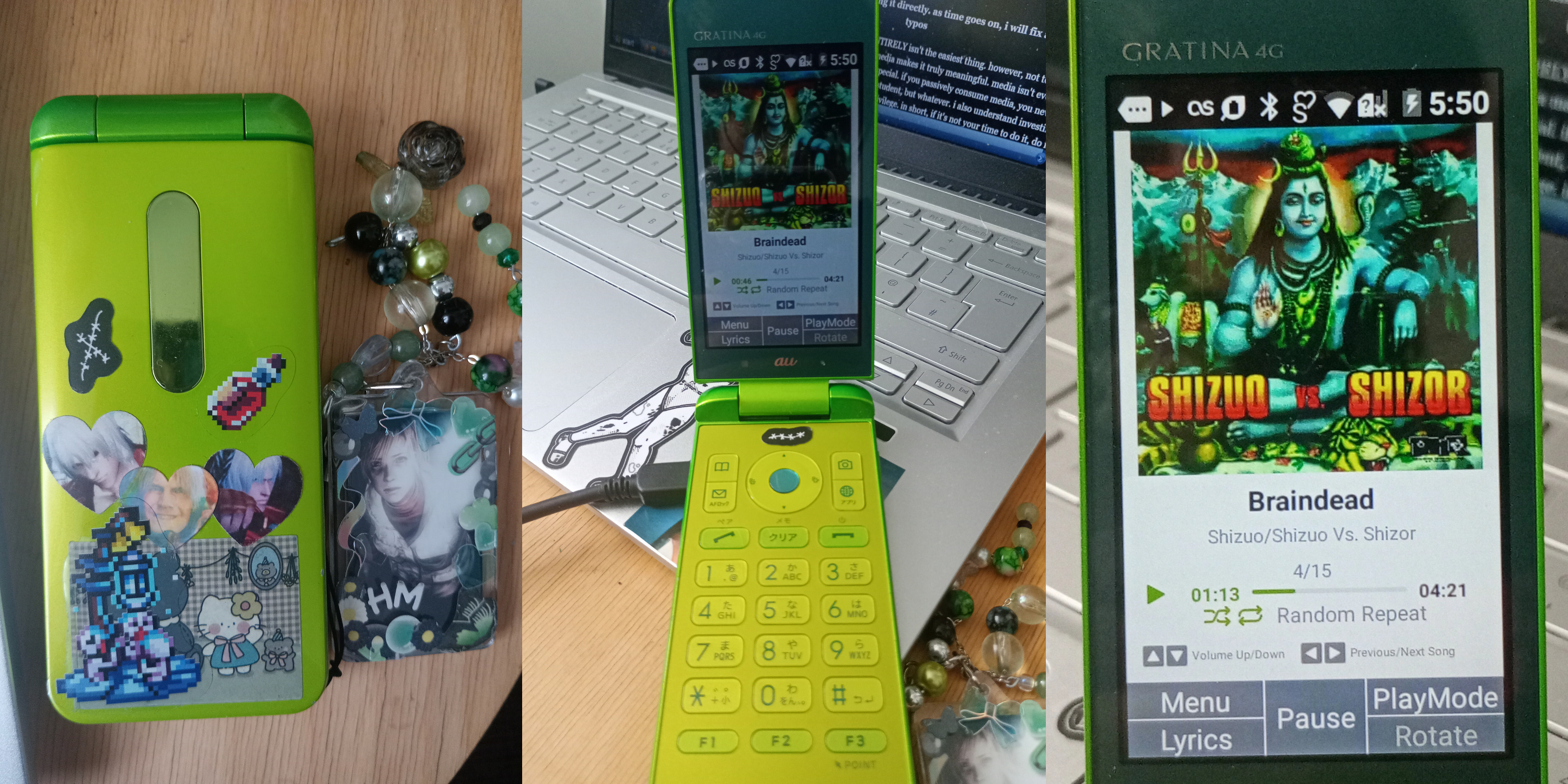
this is my epic sauce music player! ^
in regards to apple phones, i genuinely don't know. i've experimented putting some mp3s into itunes, but it's not the greatest experience unfortunately :(. i hope those with ios can find a good way to import their mp3 files, especially because idk if they even offer sd card slots!


in regards to movies, i don't have nearly as an in depth method. first and foremost, if you have a way to watch blurays/dvds/whatever you like, try to invest in that. honestly in the last few years i've collected so many dvds, and about 5 of them i have bought new. i'm not sure what's available, but in the uk the obvious choice is cex and MAYBE hmv. ebay is also another really good option along with whatever thrift stores are local to you. you would be shocked at what you can find.
with digitizing them, well.. if you have that disc drive that's totally possible. makemkv is a program that will rip your dvd, it has alot more options for languages/bonus content etc. another thing i've seen others do is set up a jellyfin - which acts as a personal streaming service you can add anything to. these are both things i've heard of secondhand and don't have any personal experience with. i will still link resources for that if you want to look into that.